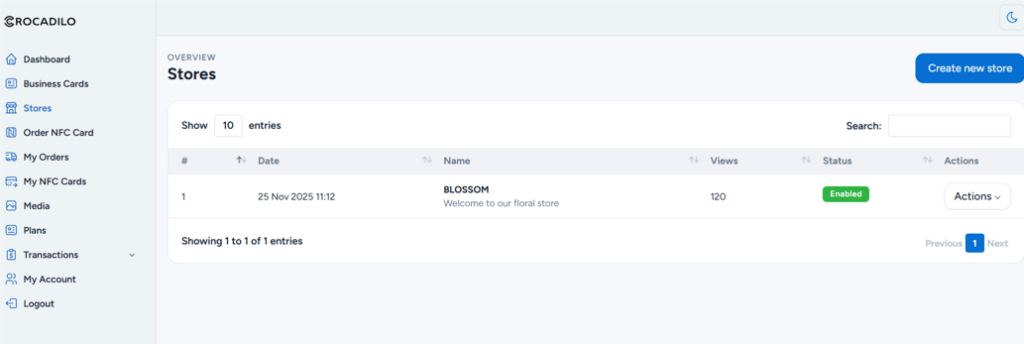
Navigate to the Stores tab in your dashboard sidebar.
Click the large blue + Create New Store button to begin the setup wizard.
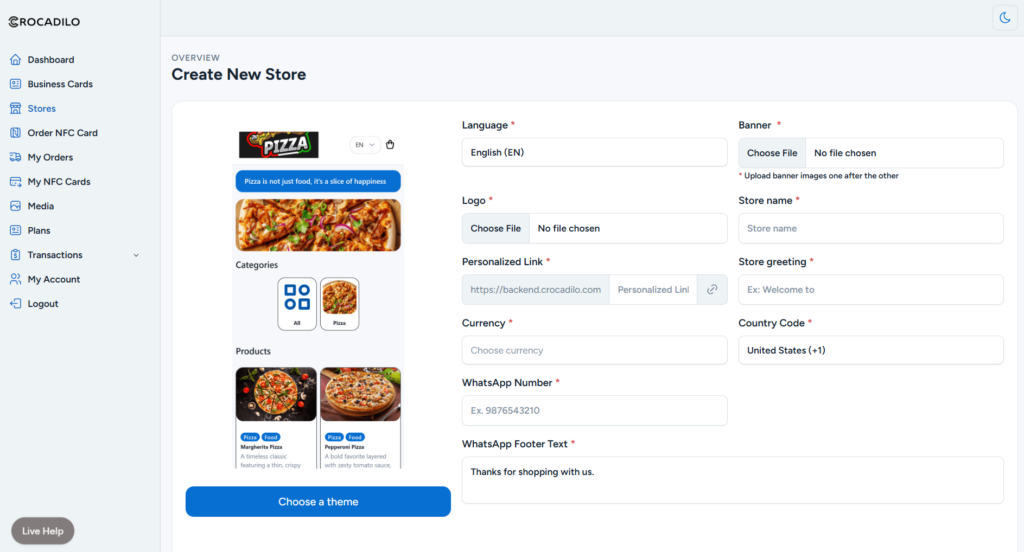
Customize your shop identity. Select a Theme, Select your Language, Upload your Logo & Banner, and enter a unique Store Name.
Once you are happy with the details, scroll down and click the Save button to launch.
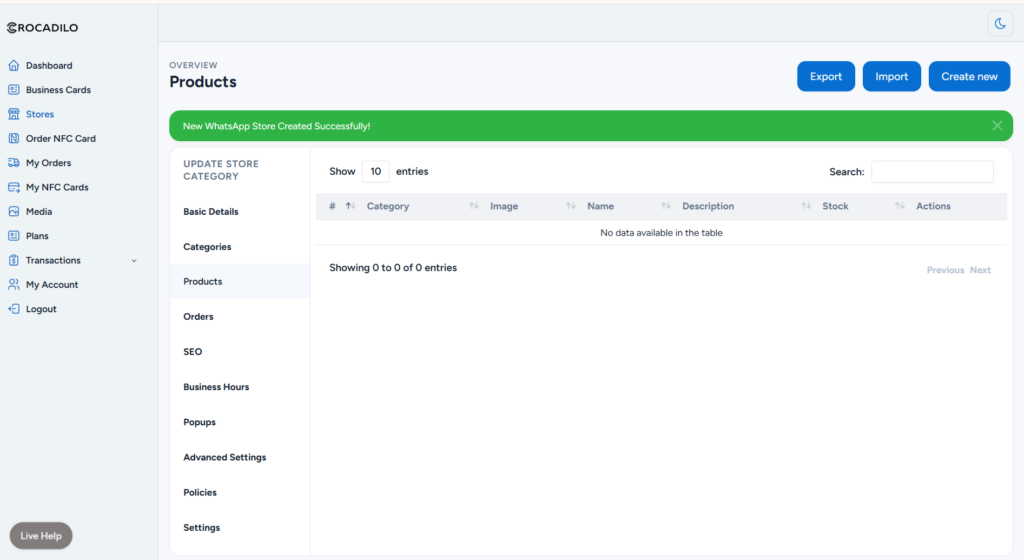
Success! Your store is now active. It's time to build your inventory.
Click the blue Create new button to add products one by one, or use Import to upload a bulk CSV file instantly.
Unlock the full potential of your store using the Sidebar Menu.
You can do a lot more here: organize items into Categories, set your Business Hours, configure SEO for Google, and even create marketing Popups to engage customers.